Huashu tests ByteDance Seedream 5.5: the person still looks like herself after 20 edits, and he open-sources the sprite-sheet → frames → GIF flow for transparent animated stickers as a skill
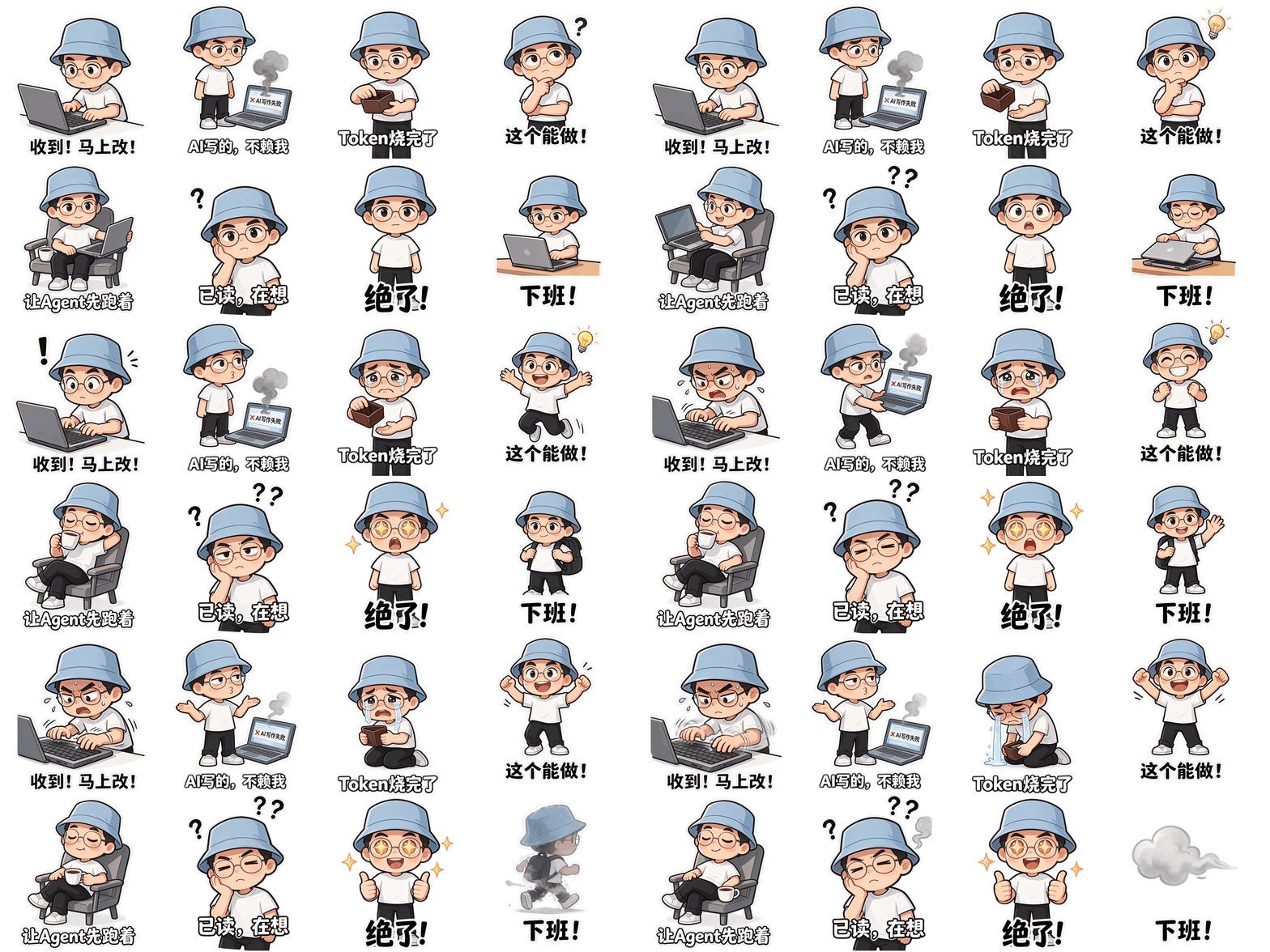
ByteDance's Seedream 5.5 leads with multi-turn editing: it claims untouched pixels stay put and a single image can be edited a hundred times. Huashu (@AlchainHust) skipped the hundred-turn marathon as too credit-hungry and instead edited a café-window portrait in 10 places, then reverted them one by one, uploading only the previous output each turn: at turn 20 she was still herself. Small edits scored SSIM 0.983–0.995; a moon earring, a wrist mole and a badge stayed put, while the street outside drifted slightly. He also ran multi-turn edits on a living room, a shop poster and a product shot, checked a 706-character cruise magazine spread (including accented place names) character by character with no typos, and composited the woman with a trilingual coffee bag and a wooden mannequin pose. Transparency is a native PNG alpha, not a later cutout. After reverse-engineering GPT Image 2.6's “draw a sprite sheet, then slice frames” GIF trick, he shipped the open-source skill huashu-selfie-sticker (v1.1.0): lock a character sheet from a selfie or any image, draw a 4×2 or 3×3 sprite sheet, then a script slices, aligns and writes 480px and 240px transparent GIFs plus an APNG. On Jimeng with Seedream 5.5 (16:9, 2K, transparent background) he says 9 images landed in one pass and all 64 captions across 8 sets were typo-free; installing the skill in Doubao took about 30 seconds. We cloned v1.1.0 and ran make_gif.py on a homemade 4×2 transparent sprite sheet (it printed “already a transparent original,” cut 8 frames, and wrote the 480/240 GIFs and APNG). Laying the same sheet on magenta and rerunning with --bg #FF00FF, it reported keying out solid #FF00FF (81% of the image) and again cut 8 frames. The repo has no LICENSE file. We did not call Jimeng, Doubao or the Seedream API to generate a real sticker set.
Visit site huashu-selfie-sticker + Seedream 5.5 ↗- Pricing
- Freemium
- Region
- China
- Where it's from
- Chinese community
- Added
- Nov 11, 2026
- Tested on
- Nov 11, 2026
- Version we used
- huashu-selfie-sticker v1.1.0 (git tag, c55236f); make_gif.py tested with Pillow 13.0.0 + numpy 2.5.4
- Original author
- 花叔 @AlchainHust ↗
- Our test
- Partly tested
- Cost / time
- The skill repo is public, but we found no LICENSE file. Jimeng/Doubao charge their own subscription or credits; Huashu writes that a 2K square API edit is about ¥0.28 (input + output image, text free)—check the official price when you run it. The slicer only needs local Python plus Pillow/numpy. Built-in generators such as Codex image_gen use whatever quota you already pay for.
The task
Use Seedream 5.5 for stable multi-turn edits, and turn a selfie (or any character) into a set of transparent, captioned animated sticker GIFs.
Steps
- You need a Seedream 5.5 entry point—Jimeng or Doubao image generation (pick Seedream 5.5; in Jimeng set the background to transparent)—plus an agent that can install skills (Huashu installed it in Doubao; Claude Code, Codex and WorkBuddy can also clone the repo). The slicer needs Python 3 and pip install pillow numpy.
- For multi-turn edits, change one thing per turn with a self-contained prompt: “Change only … to …, and keep everything else completely unchanged,” naming any details that must not move. Don’t say “the thing we added last turn.” To restore something that got covered, attach the original as a second reference image.
- To skip the manual three-step prompts, tell your agent: Please install this skill: https://github.com/alchaincyf/huashu-selfie-sticker . Then send a photo (or any character image, or just a description) and say “Use this photo to make me a set of animated stickers.” It will show a character sheet for approval, agree captions and actions with you, then slice the GIFs.
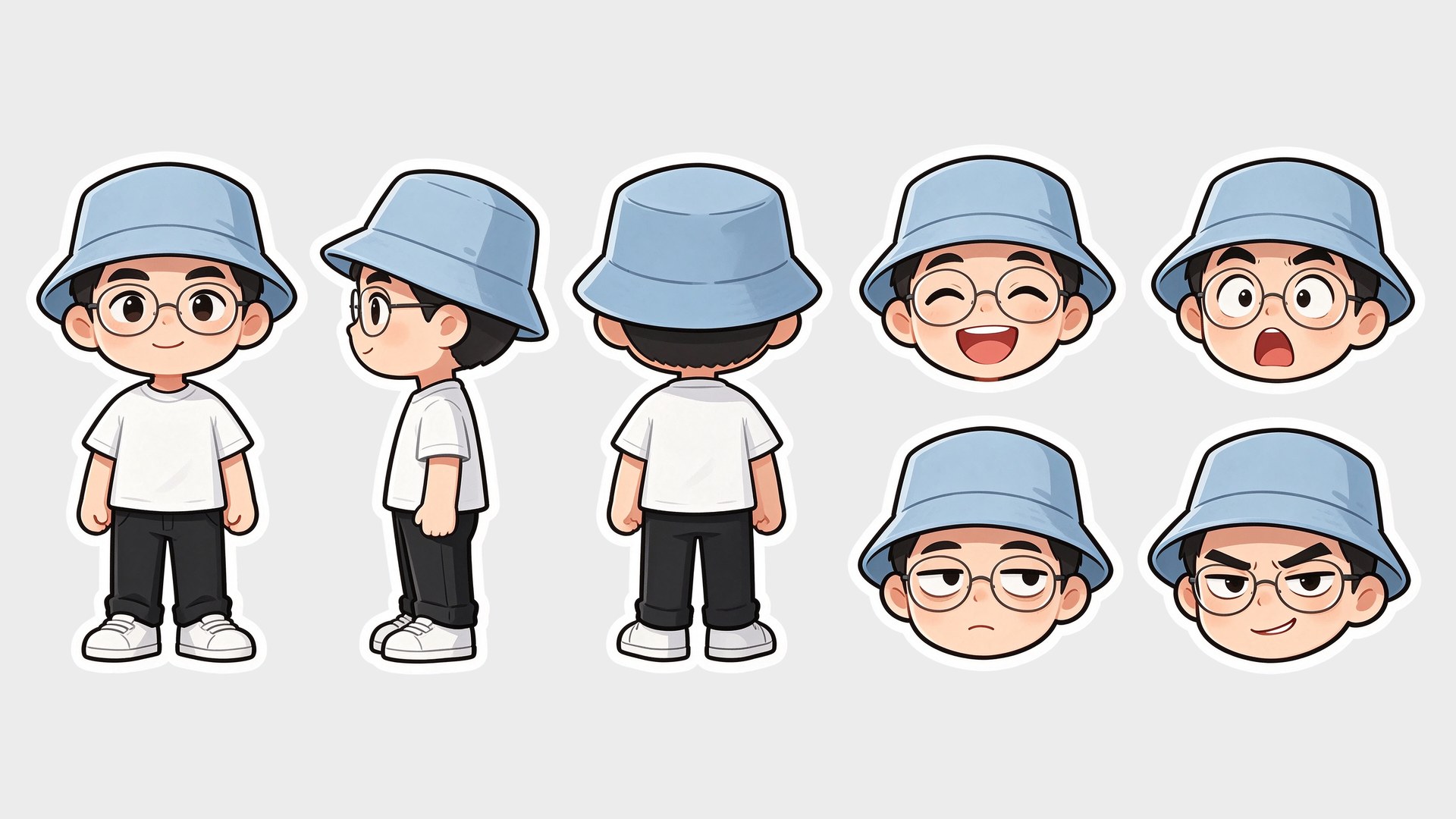
- To drive the prompts yourself: first turn the photo into a chibi character sheet (transparent background, keep signature hat/glasses, no text); then use only that sheet as reference and draw a 4×2 sprite sheet at 16:9 (or 3×3 for square), same character and caption in every cell; finally run python3 scripts/make_gif.py sprite.png 4 2 gif/bye 200 . If the generator cannot emit real transparency, ask for solid magenta or green and pass --bg "#FF00FF" (or green)—not white or a checkerboard.
- You get per-frame PNGs, transparent GIFs at 480 and 240, and an APNG that keeps soft edges. If you plan to list the stickers on a platform, check that platform’s current size and frame rules; the 240px export is not guaranteed to comply. The repo currently has no LICENSE file, so confirm terms before reuse or redistribution.
Prompt
Please install this skill: https://github.com/alchaincyf/huashu-selfie-sticker
What the author says
Huashu @AlchainHust (X article, 10 Nov 2026): Seedream 5.5 leads with multi-turn editing. He changed a café portrait in 10 places (snow, a dark-green shirt, a red knit cap, heart bunting, glasses, a notebook, badge type, a wall lamp, a succulent, a toothy smile) and then reverted them, uploading only the previous output each turn; at turn 20 she was still herself. Small edits (bunting, glasses, badge type, lamp) scored SSIM 0.983–0.995; the earring, wrist mole and badge stayed put to the eye, while the street and a parked car drifted slightly. He also ran a six-turn living-room makeover and further poster/product edits. A 706-character cruise spread (including Kauaʻi and Taputapuātea) had no typos when checked character by character; he cites ByteDance’s figure that severe text breakages fell from 2.8% on 5.0 Pro to 0.4%. In a multi-image composite, pack copy such as 云南保山, 2026.11.05, 18g → 36g and ダークチョコレート matched the source. Transparency is a native PNG. API billing is input image + output image (text free); a 2K square edit is about ¥0.28, less than half of 5.0 Pro, with the API said to be coming to Volcano Ark. After unpacking GPT Image 2.6’s sprite-sheet GIF trick, he open-sourced huashu-selfie-sticker. On Jimeng with Seedream 5.5 (16:9, 2K, transparent background) he says 9 images landed in one pass and all 64 captions across 8 sets were typo-free; installing the skill in Doubao took about 30 seconds. The repo’s 经验.md also records a 9 Nov 2026 Codex built-in image_gen run of a 3×3 shiba “slacking off” sheet: real RGBA, all captions correct, with slight eye and glyph jitter between frames.
Our test
On 11 Nov 2026 on Linux we git-cloned https://github.com/alchaincyf/huashu-selfie-sticker at tag v1.1.0 (c55236f; SKILL.md metadata.version is 1.1.0). We read the README, SKILL.md, 经验.md and scripts/make_gif.py. With Python 3, Pillow 13.0.0 and numpy 2.5.4 we made a 1600×800 4×2 transparent sprite sheet (a red disc plus a white caption bar) and ran python3 scripts/make_gif.py … 200: it printed “already a transparent original,” cut 8 frames, and wrote test_480.gif (40 KB), test_240.gif (21 KB), test_480.png (APNG, 78 KB) plus 8 frame PNGs. We then composited the same sheet onto solid magenta and reran with --bg #FF00FF: it printed that it keyed out solid #FF00FF (81% of the image) and again cut 8 frames. We did not sign in to Jimeng or Doubao, did not call Seedream or Codex image generation, and did not run the install prompt inside a live agent.
What we found when we tried it:The v1.1.0 slicer cut a 4×2 sheet into 8 frames on both the transparent and magenta-key paths, and wrote the 480/240 GIFs plus an APNG; file sizes and log lines matched the README. There is no LICENSE file at the repo root. The skill switches grids with the generator’s aspect ratio (4×2 at 16:9, 3×3 for square) and prefers an image tool already built into the agent.
How to get in
The skill is public on GitHub: https://github.com/alchaincyf/huashu-selfie-sticker . Huashu’s own run used Seedream 5.5 inside Jimeng/Doubao (China-region products that need a login and credits). If you don’t have those accounts, skill v1.1.0 can also use Codex’s built-in image_gen or another image API you choose in your agent.
Who it suits
Anyone who wants a chat-ready set of transparent animated stickers, or who wants to see how stable Seedream 5.5 is at multi-turn edits. If you have no Jimeng, Doubao or Codex-style image tool and don’t want to paste prompts into a web app, this is less useful.
Pitfalls
- A hundred-turn edit chain burns credits; Huashu only ran a 20-turn out-and-back.
- Backgrounds you didn’t explicitly lock, such as the street outside a window, can drift across turns.
- If the model can’t emit real transparency, don’t ask for a “transparent background” (it often paints a fake checkerboard that collides with white outlines and captions). Ask for solid magenta or green and let the script key it out. White backgrounds will also eat white outlines and captions.
- The 240px export is not guaranteed to meet sticker-platform rules; get permission before publishing someone else’s photo or a commercial character.
- The repo has no LICENSE file, so confirm terms before redistributing. We did not generate a real sticker set with Seedream.
Images
More in this category
- Two minutes to give agents GPT stills and GIFsImageopenai-imageMCPGrok BotMCP free; images use OpenAI credits◐ Partly testedOverseas
- One sentence to batch WebP and trim edgesImageimage-processingClaude CodePillowSkill free; needs Claude Code + Pillow◐ Partly testedOverseas
- One photo plus a minimal paper-print twinImageCodexSkillImage genSkill free; needs Codex image generation◐ Partly testedChina
- Paint one dieline, fold a low-poly GLB with a Fold clipImageOrigamiClaude CodeBlenderSkill free; paint ~$0.10–0.25 each◐ Partly testedOverseas
- Pixel VFX as code—plus a Claude refine loopImagepixelfxClaude Codepixel VFXLib+skill free; new FX need Claude◐ Partly testedOverseas